
Introduction
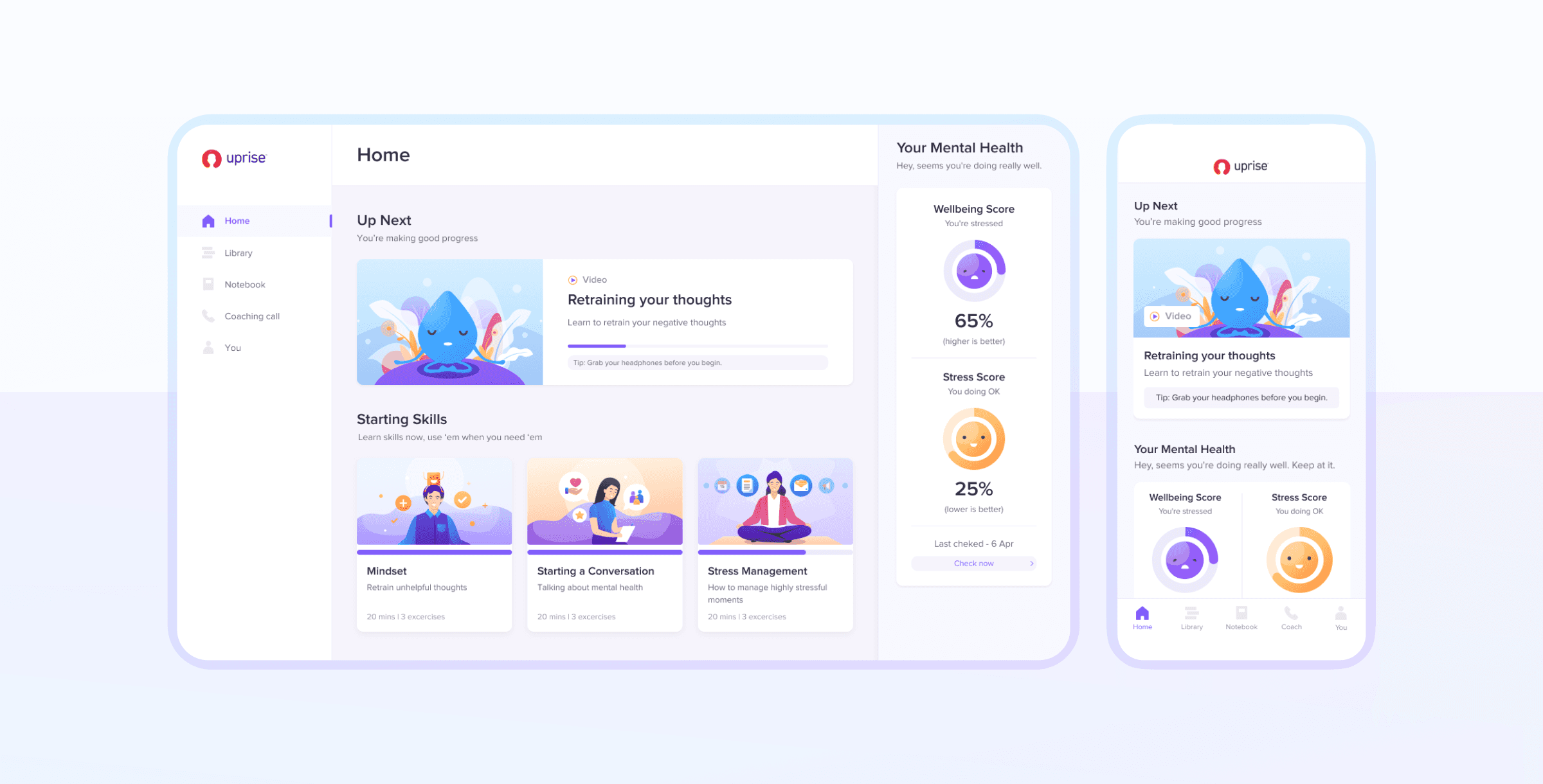
Uprise is a digital Employee Assistance Program (EAP) that provides employees with access to mental health support through self-guided modules and professional coaching.
As part of a broader product update, Uprise aimed to refresh its visual identity and improve user engagement across the platform.
The Challenge
Despite offering structured mental health support, many users were not progressing through onboarding or engaging with coaching features.
The experience introduced friction at multiple points, particularly during onboarding, where users were asked to make decisions and commitments before they felt ready.
As part of a broader product update, the goal was to reduce these barriers and improve engagement across onboarding, coaching, and ongoing usage.
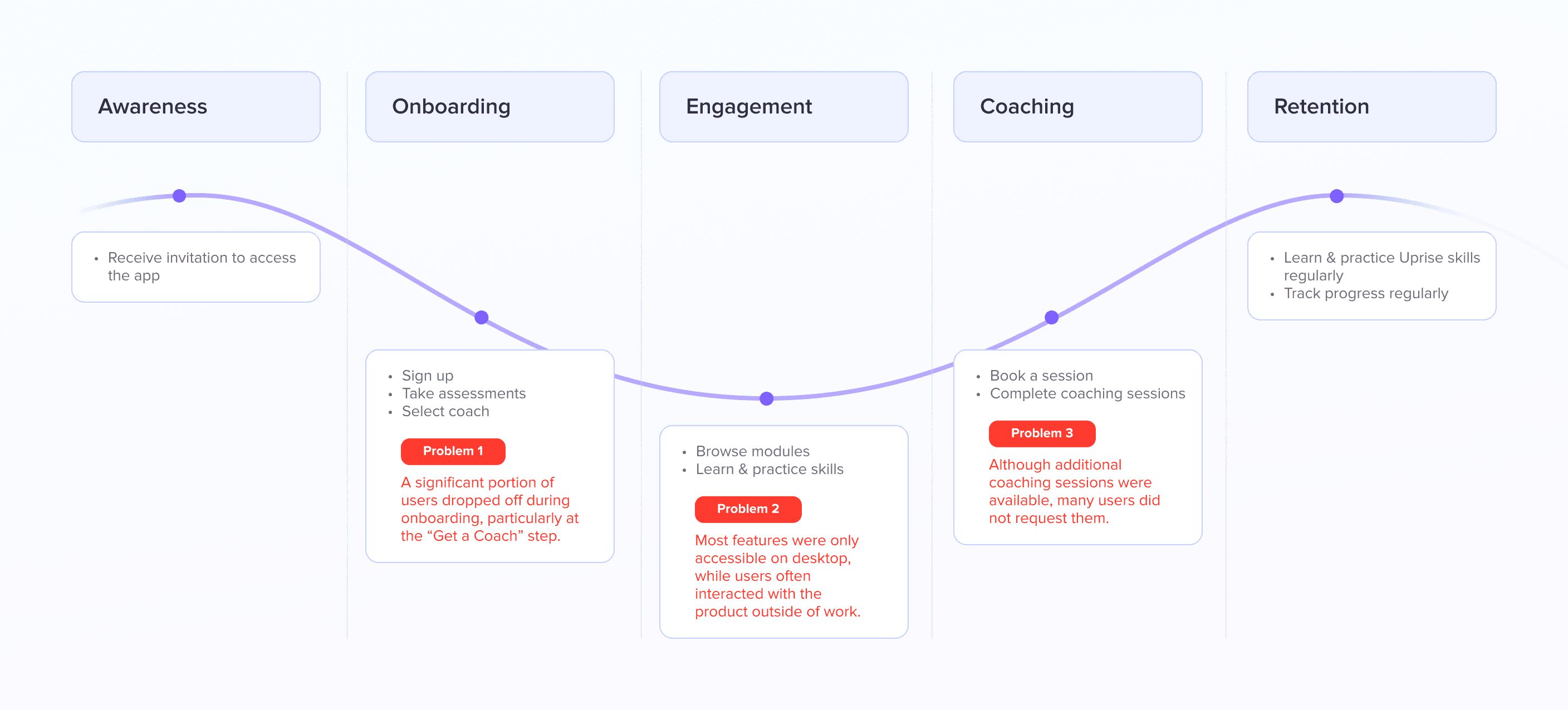
Key Friction Points
User Patterns
Users were unsure how the program worked and what they were entitled to
Users felt hesitant to engage with coaching due to commitment pressure
Users often accessed the product in moments outside of work (e.g. commuting)
Problem 1
Onboarding Friction
A significant portion of users dropped off during onboarding, particularly at the “Get a Coach” step. The flow introduced unnecessary decisions and premature commitment:
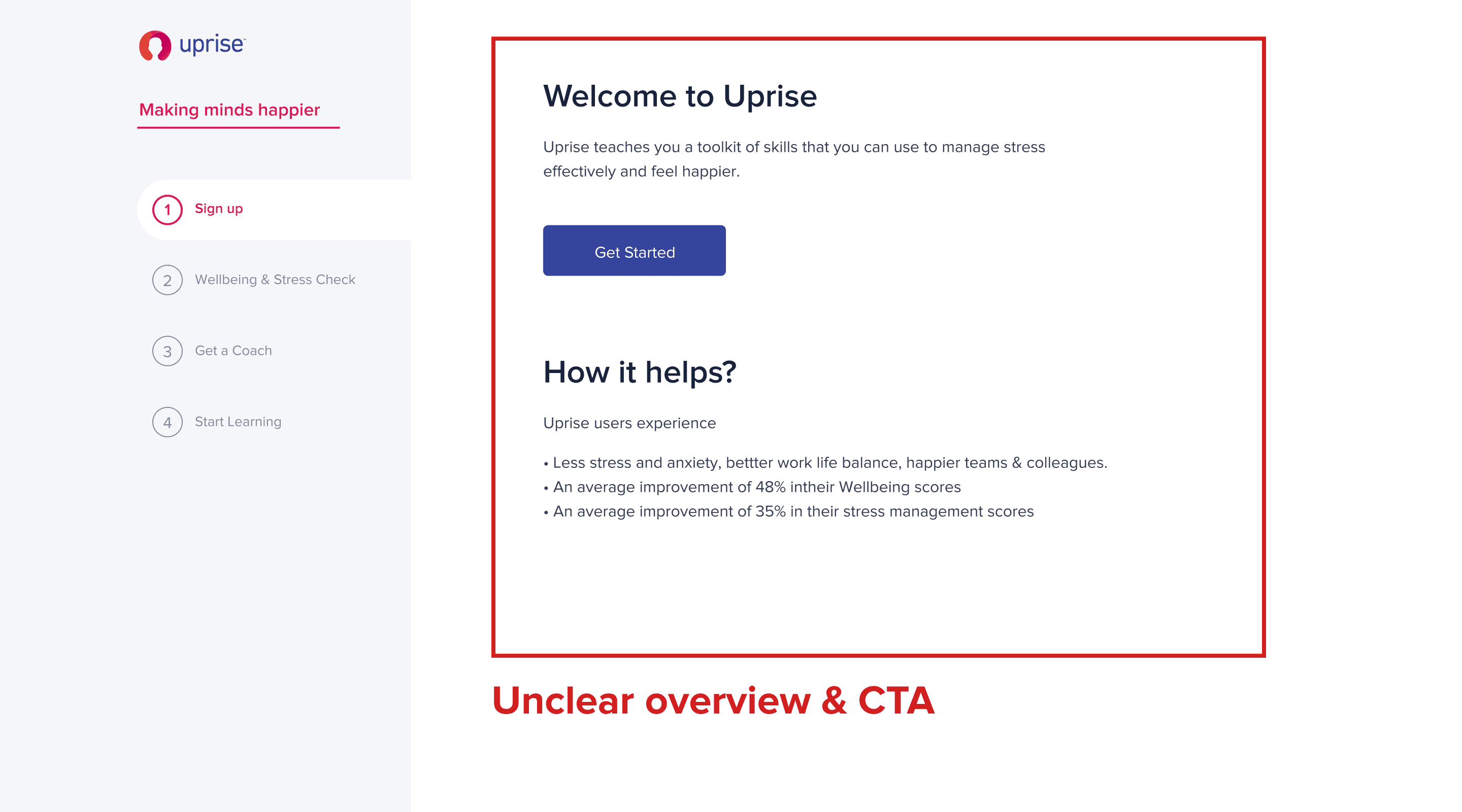
Unclear overview & CTA on the first onboarding page.
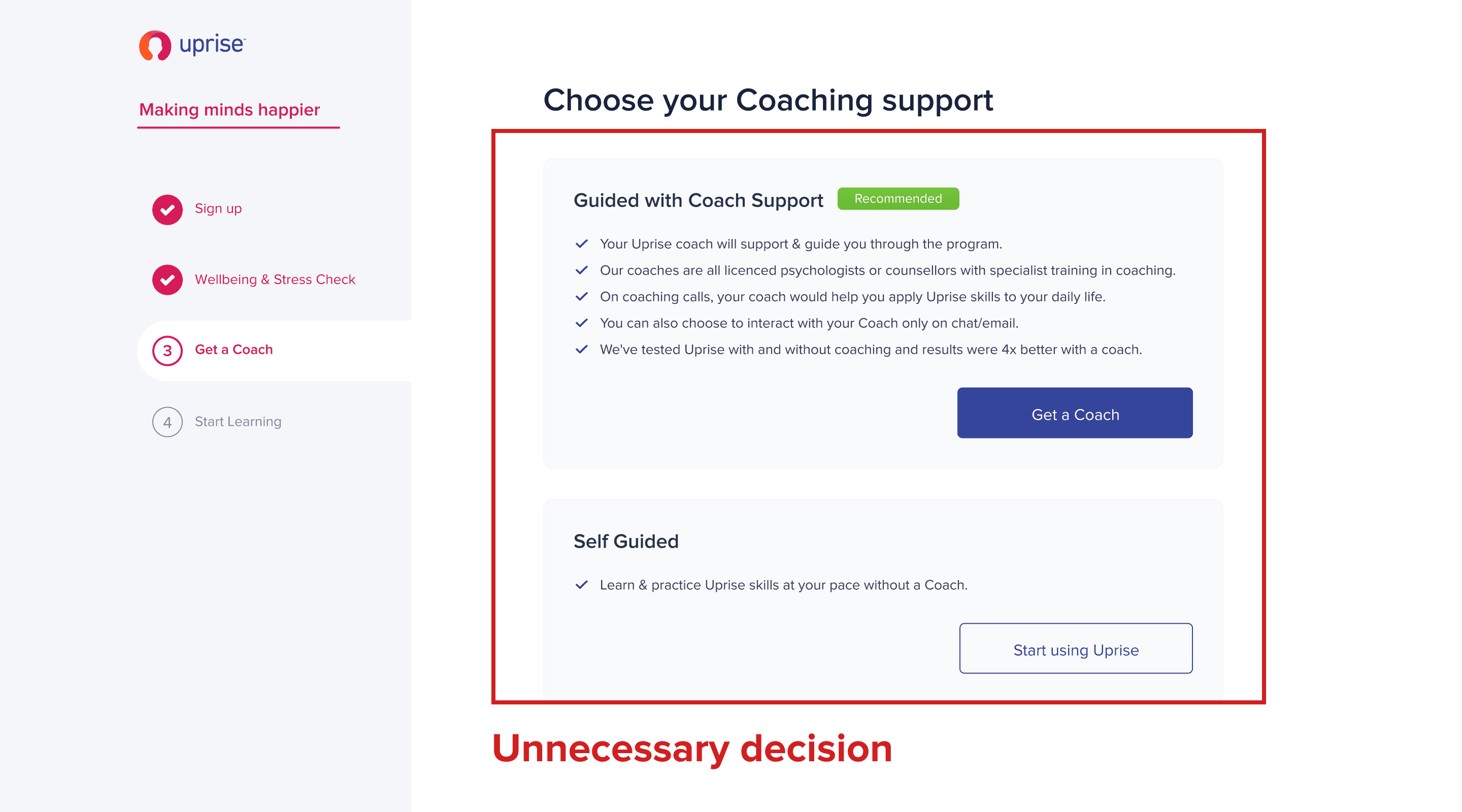
Users were asked to choose between “Guided with Coach Support” and “Self-Guided,” even though both options provided similar access to coaching
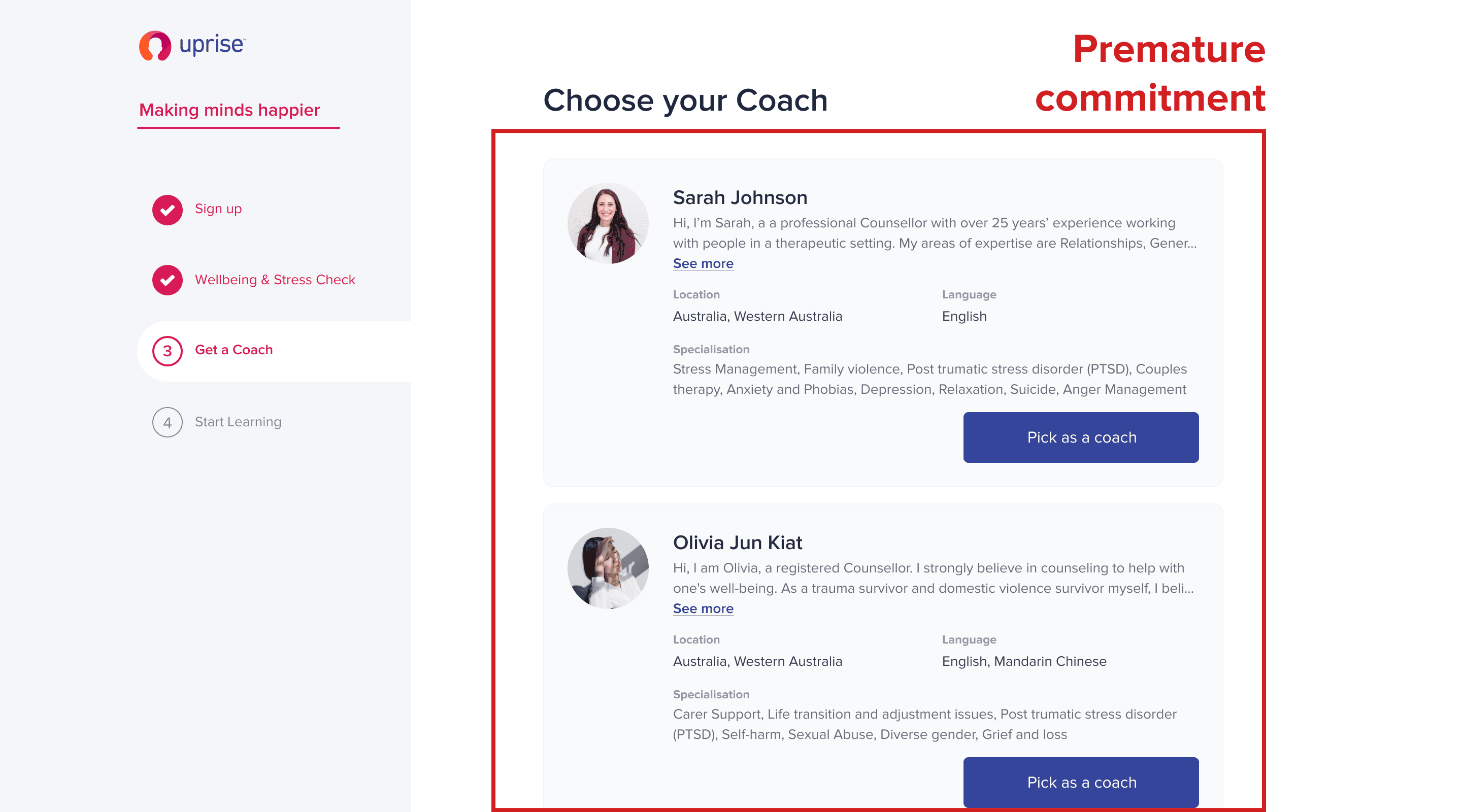
Users were required to select a coach before they were ready to engage
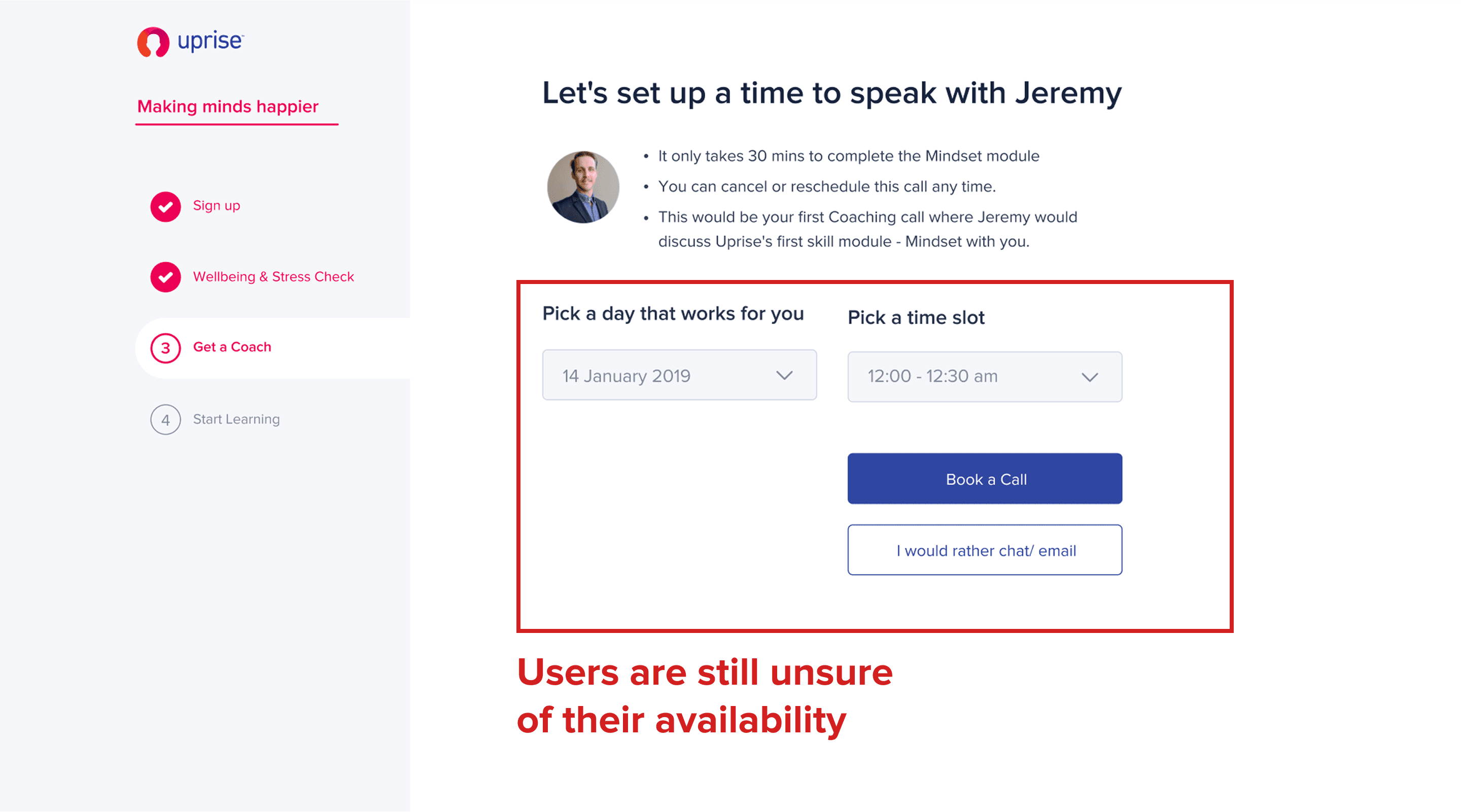
Users were prompted to book a session immediately, even when unsure of their availability
Problem 2
Limited accessibility
Most features were only accessible on desktop, while users often interacted with the product outside of work.
In real usage, many users accessed the platform on their phones (e.g. commuting), but the experience was not optimized for mobile.
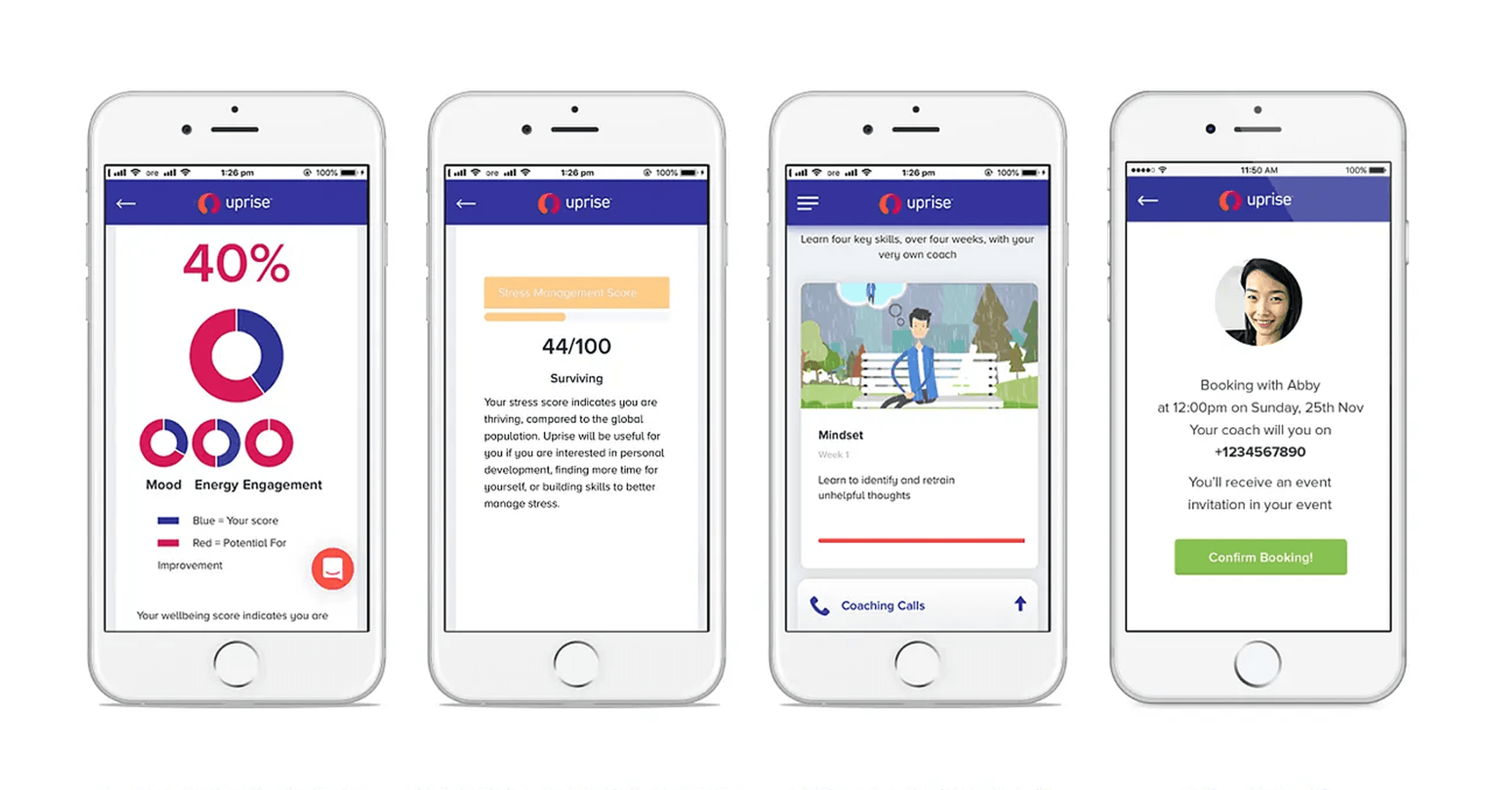
The previous mobile app design wasn’t mobile-friendly
Problem 3
Psychological barrier to requesting more sessions
What HR said
Employees were coming to us directly to ask for more sessions instead of using the app.
What coaches said
Users who ran out of quota just stopped showing up even when they wanted to continue.
Users weren't confused about how to request more sessions. They were afraid to.
Requesting more sessions through the product meant revealing that you needed more mental health support. The system was asking people to be visible at exactly the moment they felt most exposed.

Solution 1
Simplifying onboarding
Introduced a clearer onboarding overview and structure
Removed unnecessary decisions such as “Guided vs Self-Guided”
Assigned a coach automatically based on the wellbeing check (editable later)
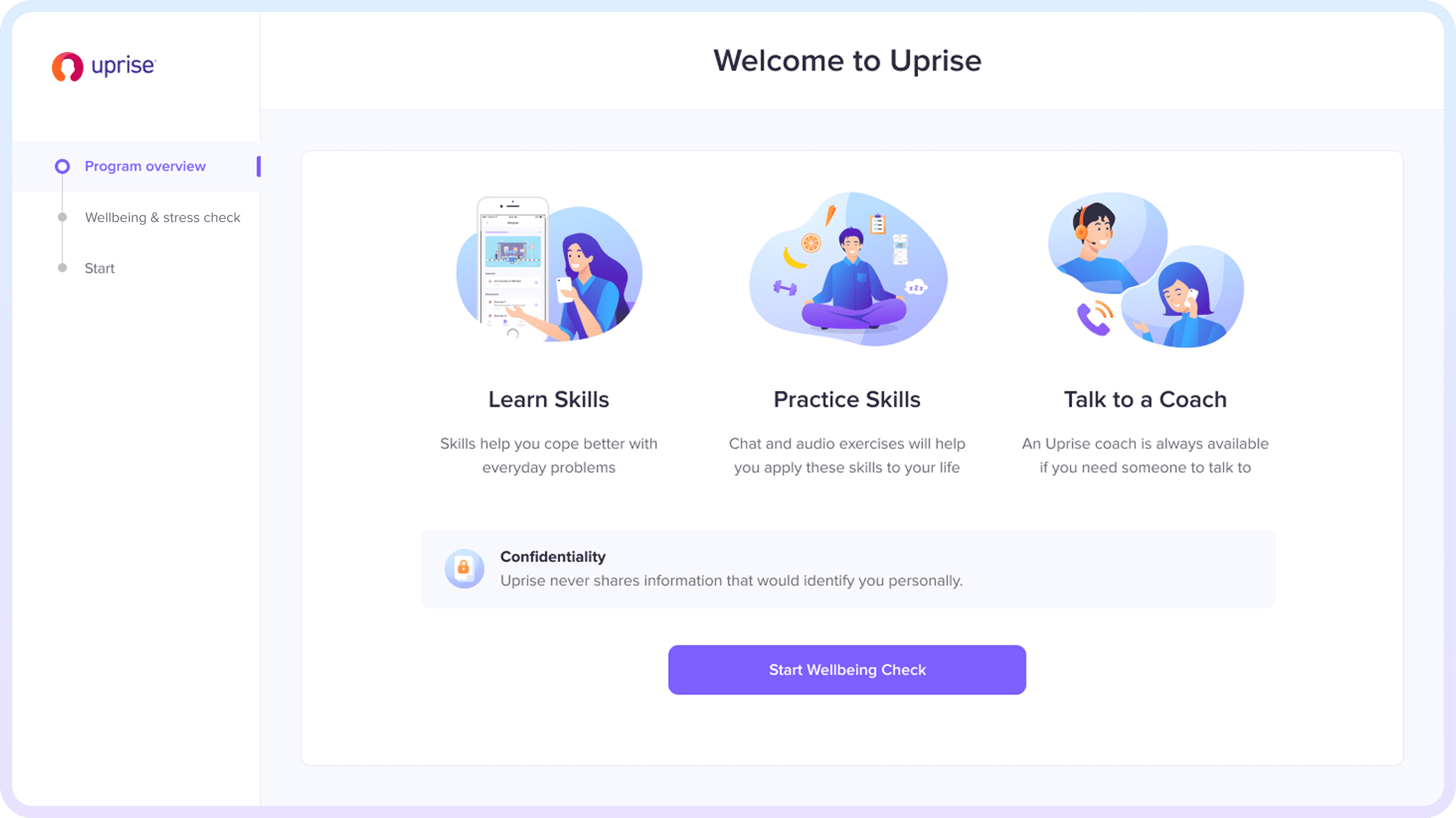
Clear overview & CTA on the first onboarding page.
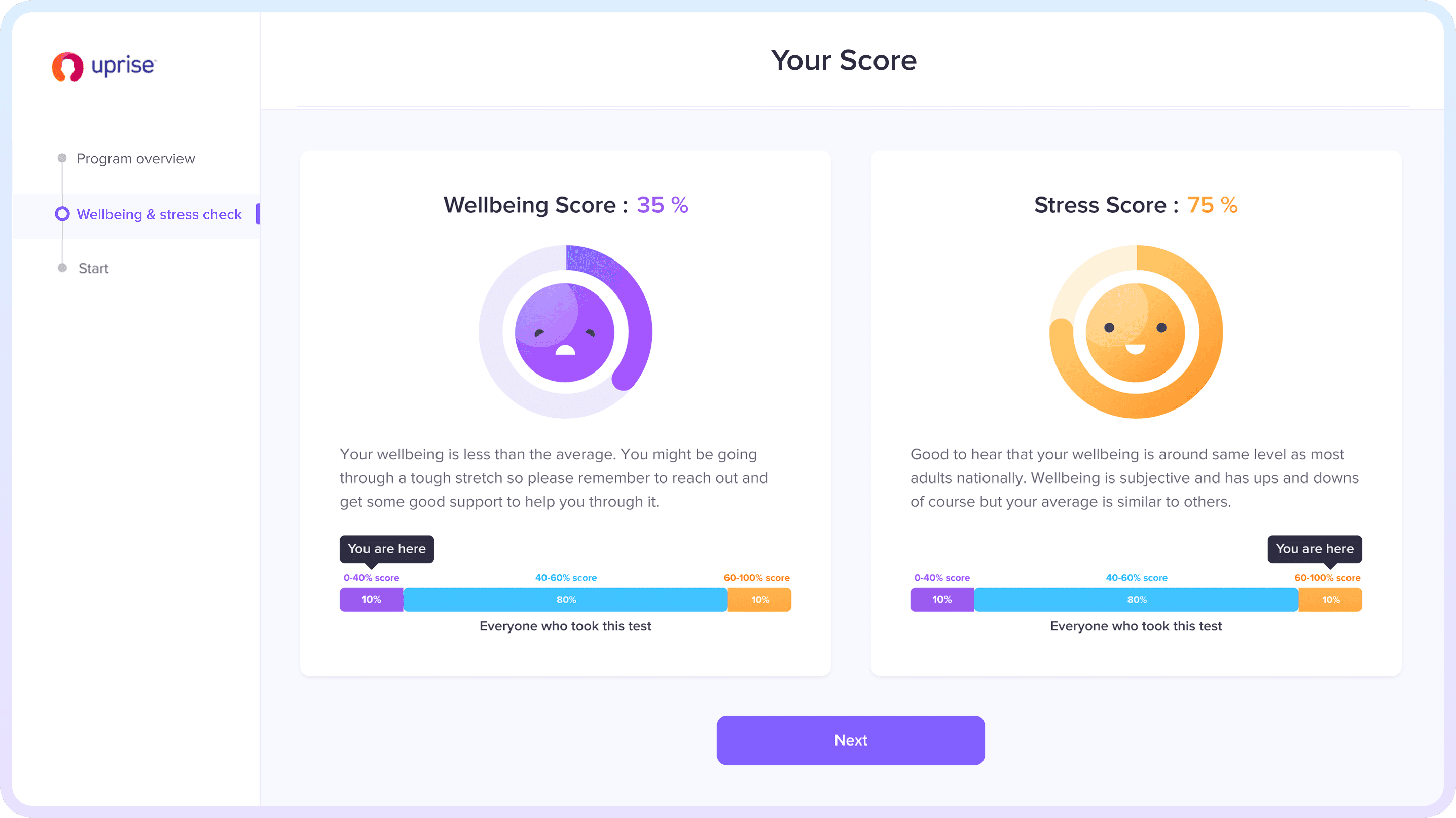
Coach will be automatically assigned based on their score.
Solution 2
Enabling mobile access
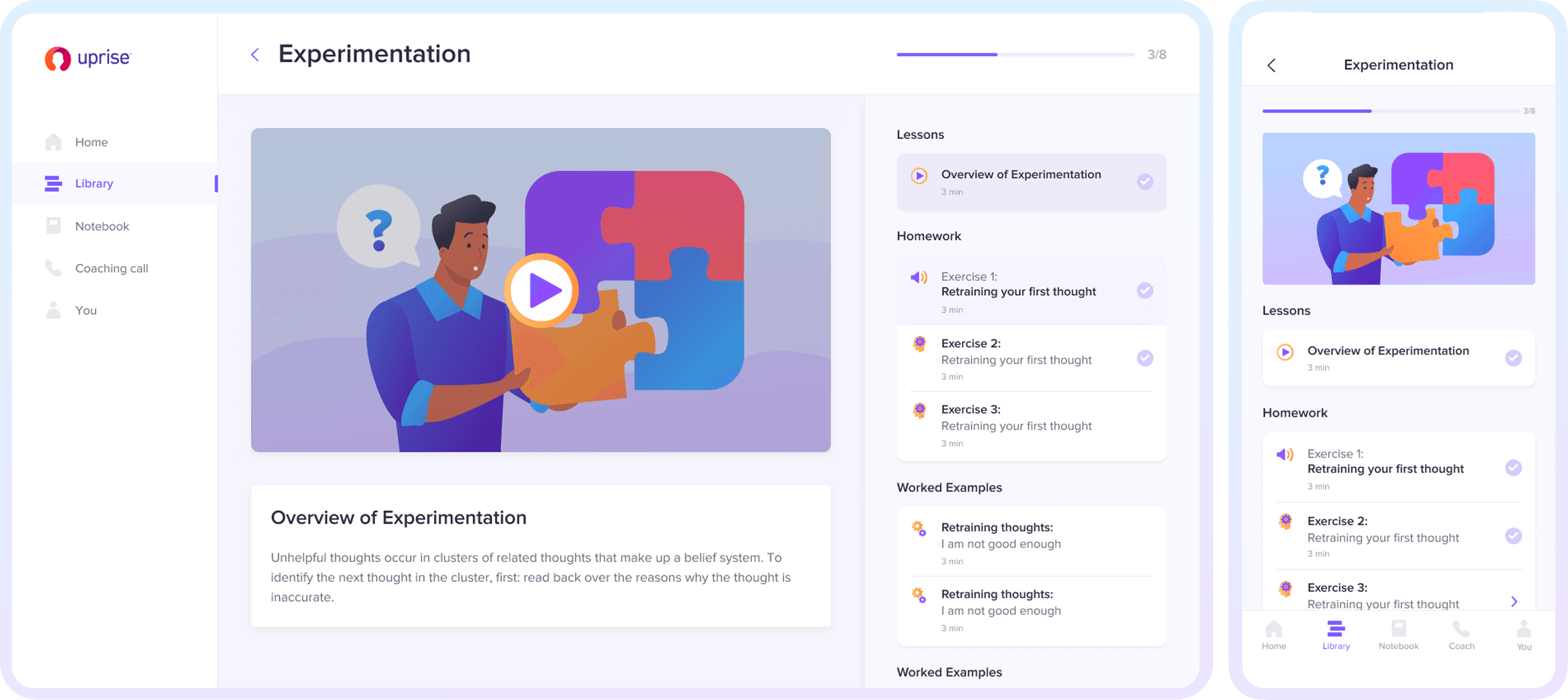
Adapted the experience to support real user contexts by enabling full feature usage across mobile so users can access Uprise easily wheter they're on their computer or phone.
Enabled full feature usage across mobile
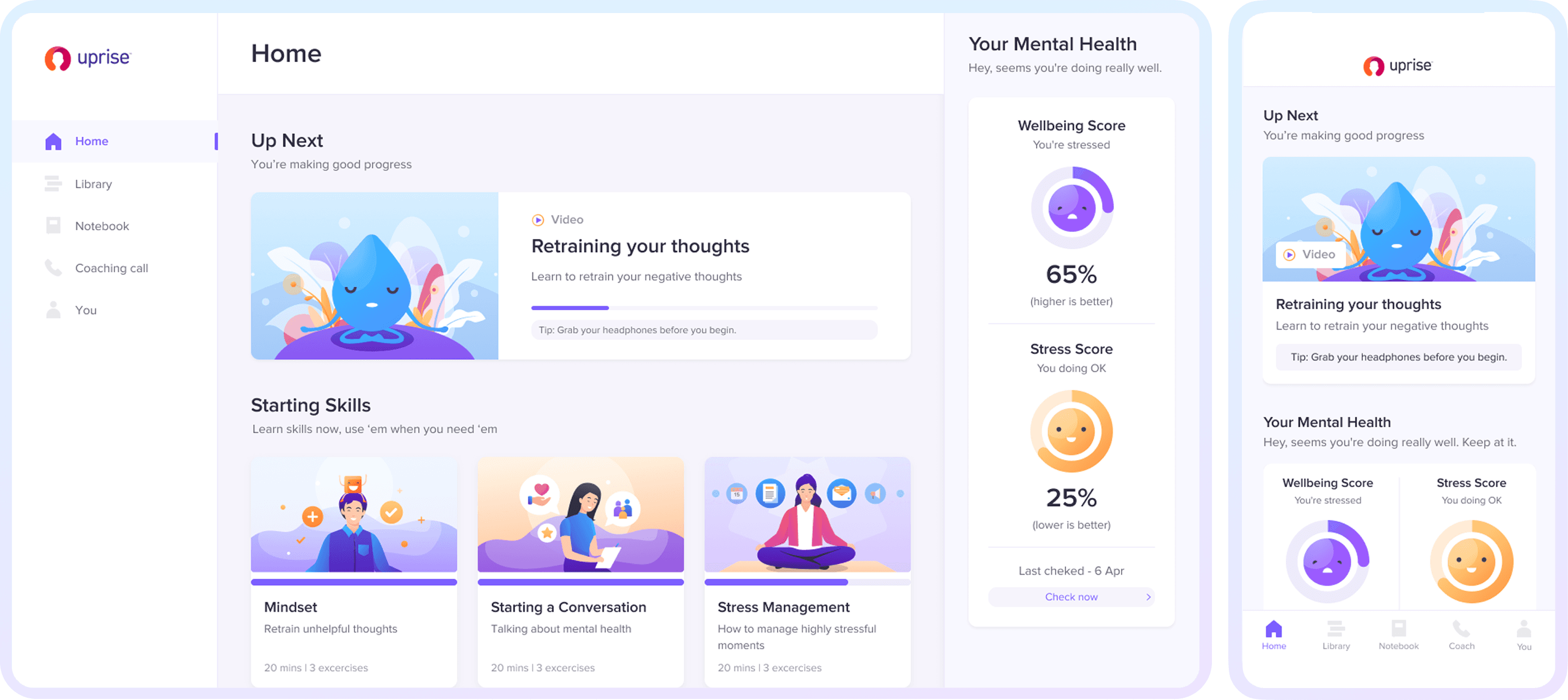
Aligned experience across desktop and mobile
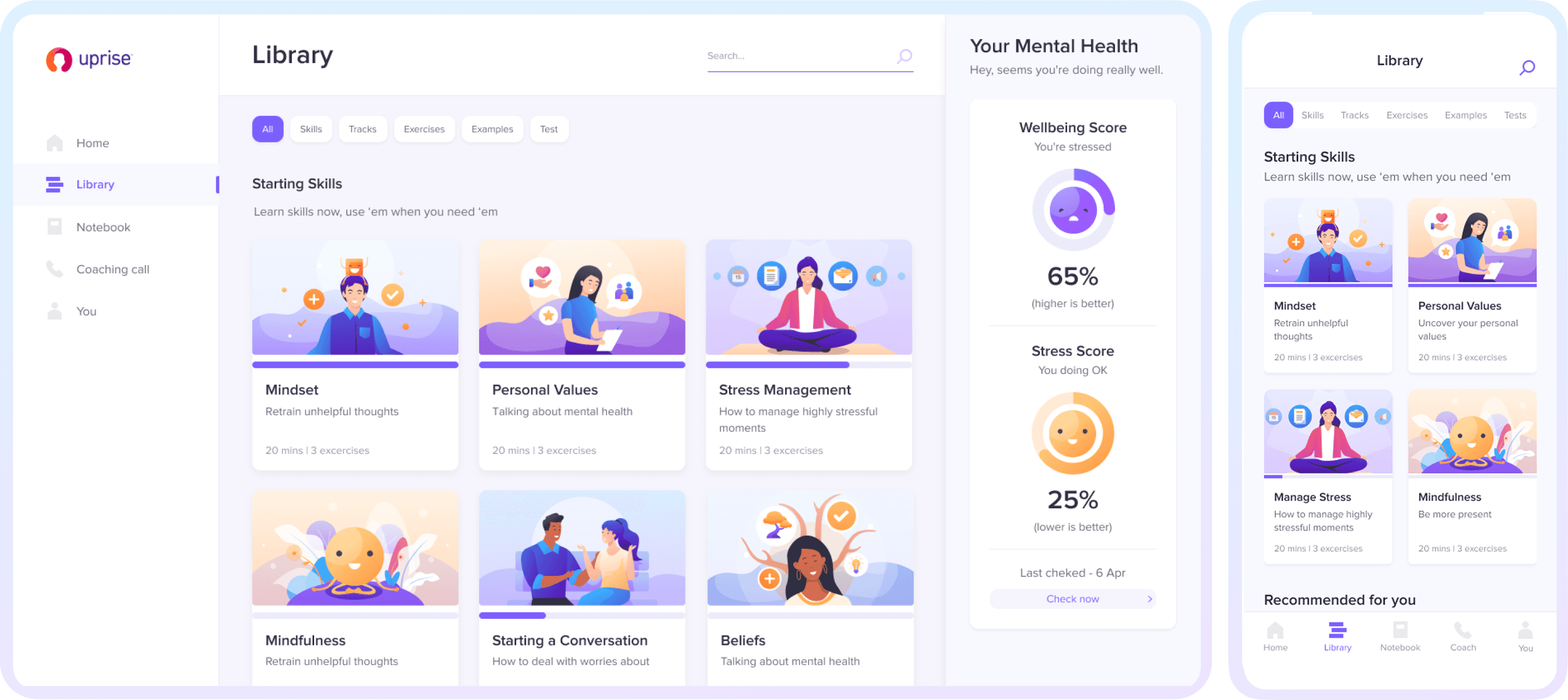
Adapted key flows for mobile use, enabling users to engage with modules and coaching in shorter, more flexible sessions
Solution 3
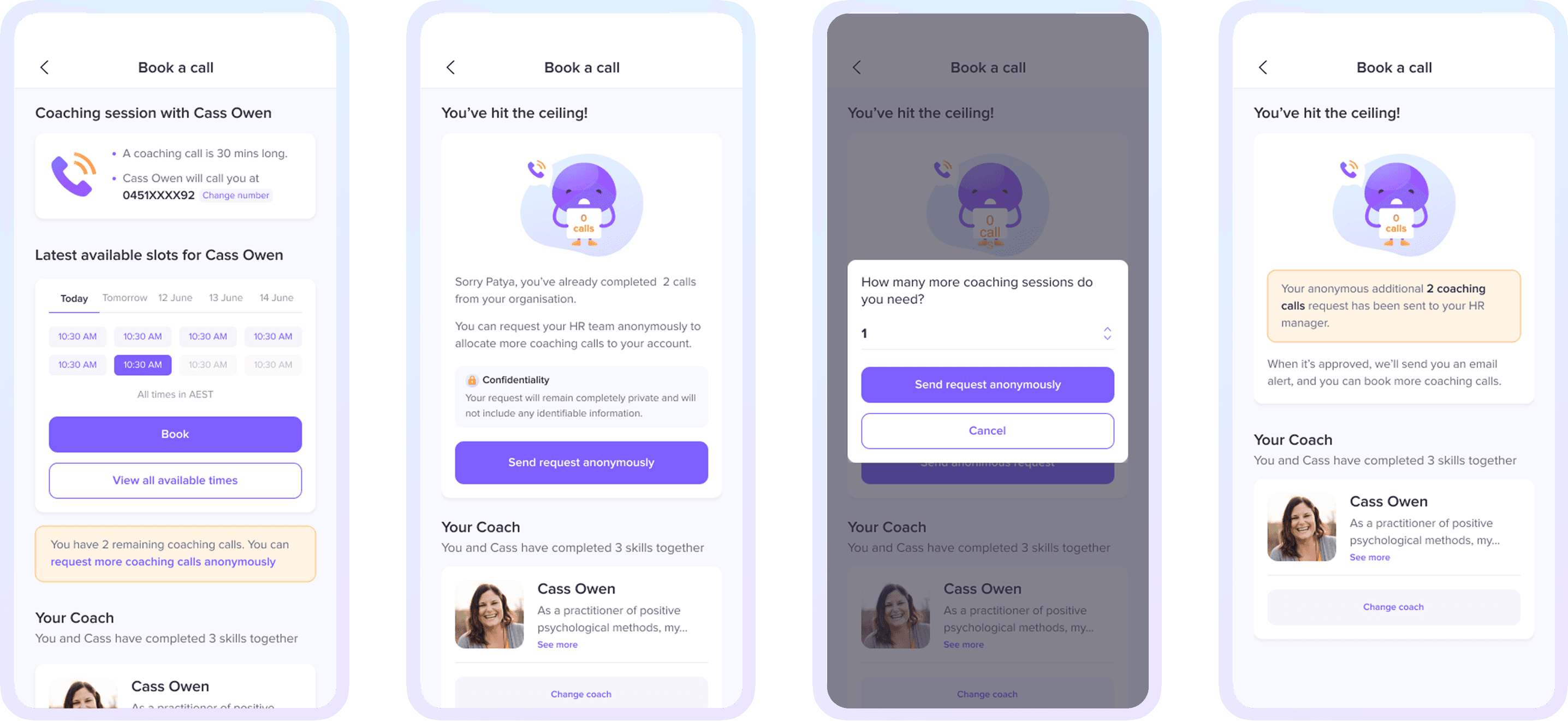
Reducing psychological barriers through anonymity
Introduced anonymous requests for extra coaching sessions so users could request additional sessions without revealing their identity
Users were informed about this feature early to reduce the fear of running out of sessions
Enabled full feature usage across mobile
Onboarding
↓ 24%
decrease in drop-off
↑ 30%
increase in onboarding completion
Engagement
↑ 35%
increase in skills / module completion
↑ 22%
increase in weekly active users
Coaching
↑ 38%
increase in monthly bookings
↑ 25%
increase in repeat bookings